Cathy Buggs

Updated 2 weeks ago

Professional Video-Sharing Software for Business and Personal Use

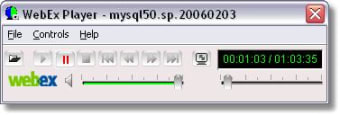
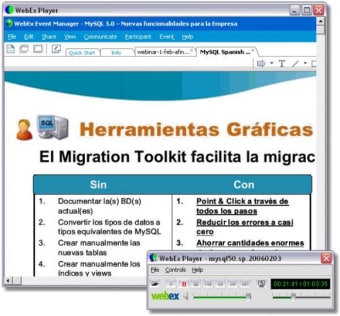
If you have been looking for alternatives to standard VoIP software such as Zoho and Skype the professional tools provided by WebEx Player will be a welcome change. Not only are you able to enjoy all of the functionality that you have come to expect with modern video conferencing packages but there are a number of additional unique benefits that this platform provides.

Top Recommended Alternative

Functions and Usability

WebEx Player provides users with the ability to perform a handful of helpful tasks before and during a video conference call. Besides virtual meetings it is possible to hold online events and webinars both key for product presentations and promotions. The premium plan enables you to enjoy one-touch calling options and toll-free access to meetings. These are advantages if you are out and about and still need to attend a specific online event.

Trusted and Reliable Software

As WebEx has been developed by Cisco Systems there is little concern in regards to its functionality and reliability. 24-hour live support a variety of different plans and an ability to simultaneously view up to seven different video screens round out some of the most useful features that can be procured with this software.

Cathy Buggs

With decades of experience in IT management and later as a writer and tutor, she combines technical knowledge with a passion for clear communication. His work spans editing, teaching, and writing, bringing authority and precision to content on technology and related fields.

  • Pros

    • Excellent levels of customer service and support.
    • Specific plans designed around specific business needs.
  • Cons

    • There is no free version of the WebEx Player. After a trial period this software will have to be purchased.
    • As this software is quite complex it could slow down in-house operating systems if they employ older hardware.
 0/3

App specs

Program available in other languages


Icon of program: WebEx Player

WebEx Player for PC

  • Free
  • 2.7
    261
  • 283.7K
  • V45.6.4.8

User reviews about WebEx Player

Have you tried WebEx Player? Be the first to leave your opinion!

Add review

You may also like

Alternatives to WebEx Player

Explore Apps

Latest articles

Laws concerning the use of this software vary from country to country. We do not encourage or condone the use of this program if it is in violation of these laws.
Softonic

Is WebEx Player safe?

100/100

Score result: Clean

This file passed a comprehensive security scan using VirusTotal technology. It is safe to download.

  • Virus free
  • Spyware free
  • Malware free
  • Verified by Security Partners

    VirusTotal logo

Scan Info

Last scan
Friday, February 20, 2026
Scan provider
VirusTotal · Full report

File Integrity

File
45.6.4.8.msi
SHA256
a5fb31e7ff22639c9945ec6b2638df8656c021e69f6221e5d10db2bf57927a15
SHA1
5d3bacd084e7f12a7e17882727c0fc18fb43d325

Softonic security commitment

WebEx Player has been thoroughly scanned by our advanced security systems and verified by industry-leading partners. This file comes from the official developer and has passed all our security checks, showing no signs of viruses, malware, or spyware. For more information, visit our Security and Trust Center